Hermes Console: a read-only dashboard for Hermes
14 Apr 2026 · 5 min read
Running Hermes locally means checking files, logs, cron output, and CLI state in too many places. Hermes Console is a read-only UI I built to make that easier.
I've spent a lot of time lately building on top of Hermes, which also means bouncing between session files, cron output, logs, config, and whatever the CLI is telling me in that moment.
That works, but it's slow and cumbersome.
So I built Hermes Console.
Repo: https://github.com/shan8851/hermes-console
What it is
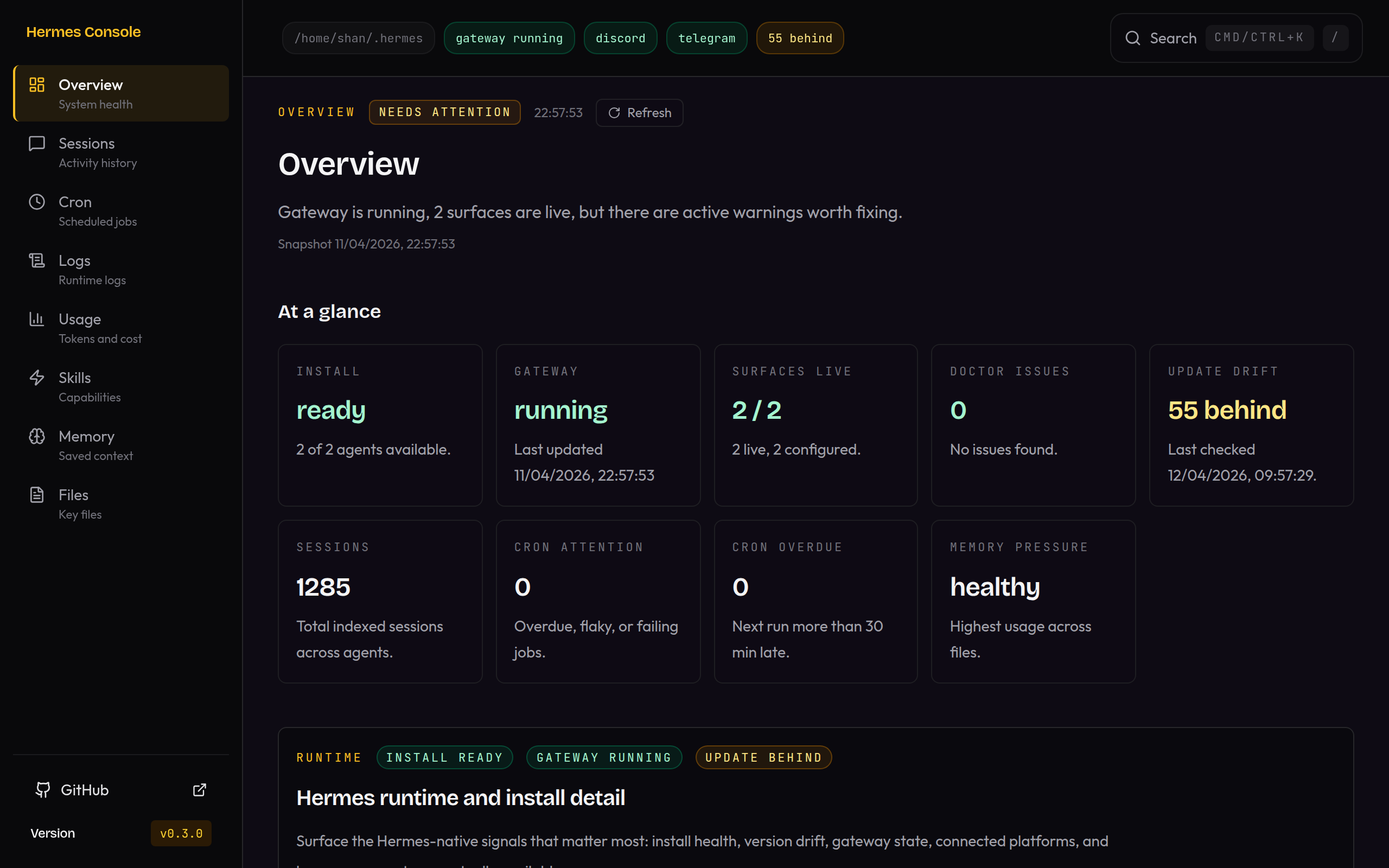
Hermes Console is a local-first web UI for inspecting a Hermes setup straight from disk.
It reads from the local Hermes root, usually ~/.hermes, and gives you one place to see what is running, what is scheduled, what is stored, and what looks off.
As of v0.4.0, the main surfaces are:
- Overview for runtime health, connected platforms, warnings, and version drift
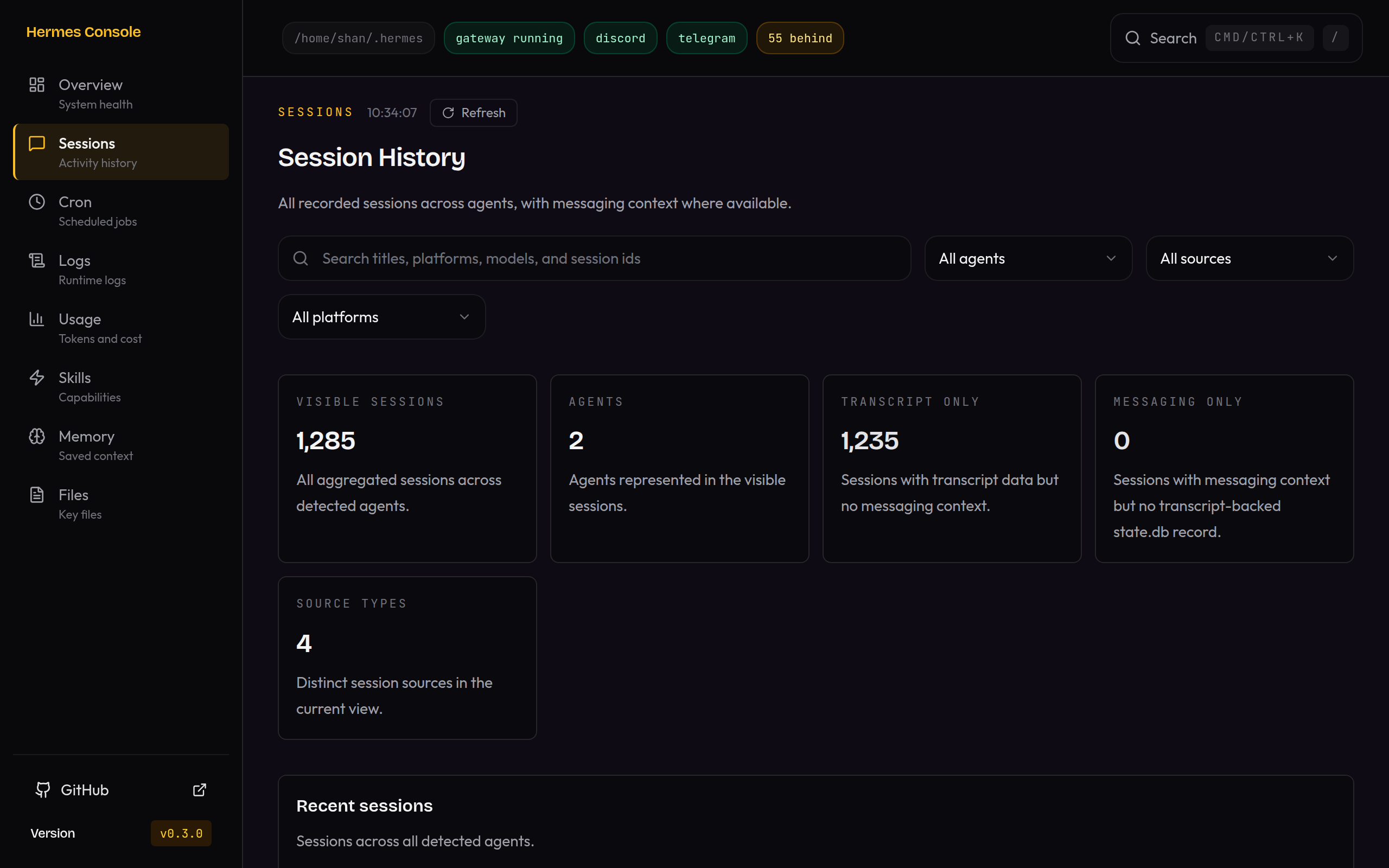
- Sessions for recent runs, search, and filtering
- Cron for scheduled jobs, health, and a calendar view
- Skills for installed skills and linked files
- Memory for
MEMORY.mdandUSER.mdvisibility - Config for per-agent
config.yamlinspection - Files for high-signal project and instruction files
- Usage for tokens, estimated cost, and trends
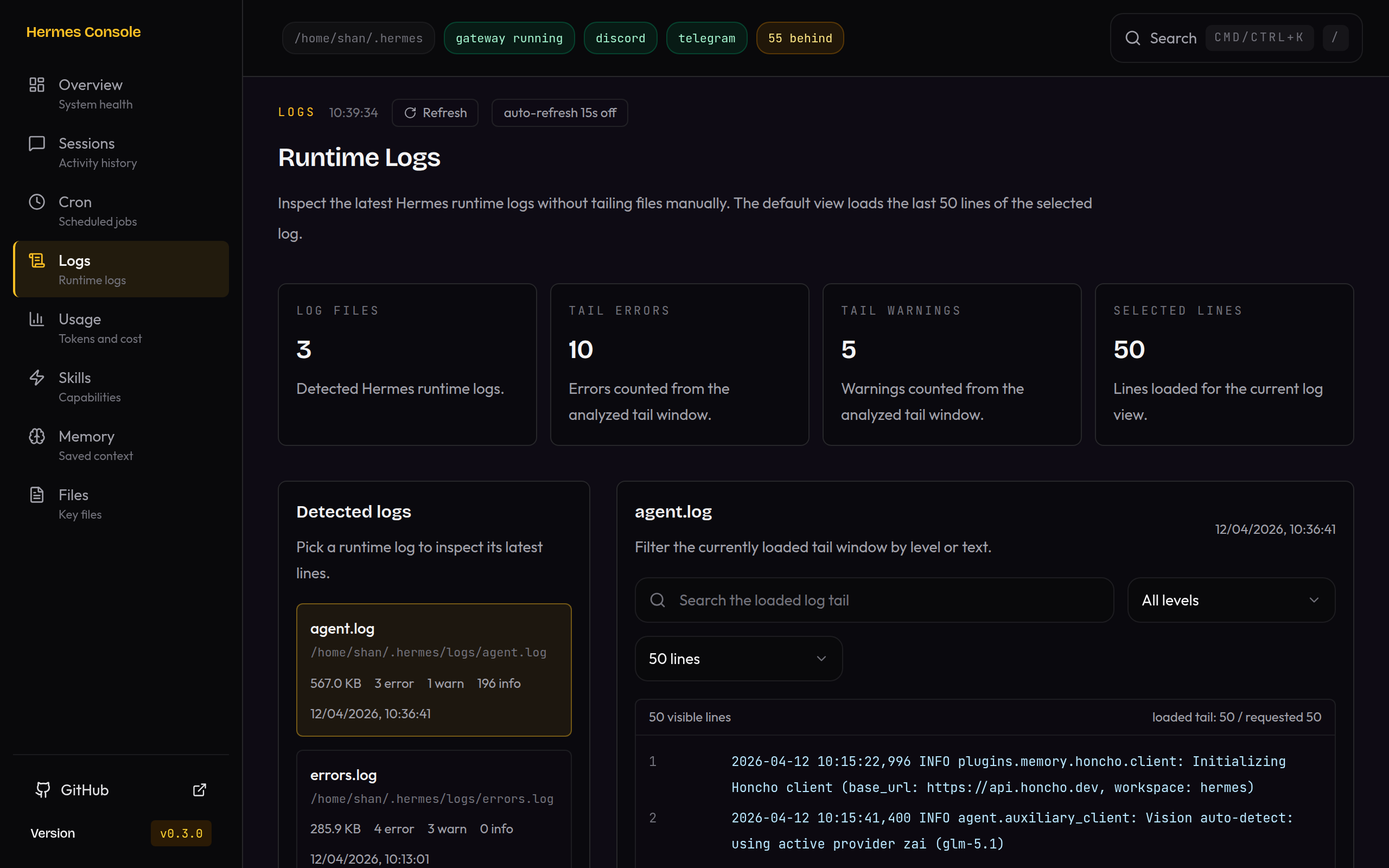
- Logs for bounded runtime log tails
If you run Hermes locally and want one place to check the system without digging through files all day, this is for that.
What it isn't
Hermes Console is not:
- a chat client
- a terminal replacement
- a hosted SaaS
- a generic multi-agent platform
I think a lot of tools go to shit by trying to be the whole thing. They start with a clean purpose, then end up as some mushy control plane that kind of does everything and does none of it particularly well.
I didn't want that here.
Why it's read-only by design
The read-only part is not an accident. It's most of the point.
I wanted something that helps you understand a live Hermes setup, not something that immediately starts mutating it from the browser.
Reading local state is a much easier thing to trust. You can point the app at your Hermes root, inspect sessions, inspect config, inspect memory pressure, inspect skills, inspect cron health, and get a quick read on whether the system looks healthy.
The second you start adding writes, you're in a different world. Now you need stronger safety rails, better guarantees, clearer failure handling, and a lot more thought around what the browser should and shouldn't be allowed to do.
I'll probably explore that stuff later. But for v1, I care more about getting eyes on the service than turning the UI into an editor.
A few design decisions I care about
1. Visibility-first, not chat-first
The point of the UI is orientation.
What's running? What failed? Which agent am I looking at? What changed? Where do I need to pay attention?
That's a different job from chatting with an agent.
Hermes already has good surfaces for doing. Hermes Console is for seeing.
2. All agents first, then narrow down
By default, the app thinks in all agents. Then you can narrow by agent when you need to.
You start with a system view, then drill into agent_1, agent_2, or whatever profile you care about, instead of getting dumped into one isolated lane and losing the bigger picture. It also keeps the multi-agent side grounded in what Hermes actually stores under ~/.hermes and ~/.hermes/profiles.
What feels useful already
The command palette is one of the nicest bits so far. Cmd/Ctrl+K and / give you route, agent, session, cron, skill, and file search from one place, then page-level filters take over once you're in.
The Config page is useful because config drift across root and profile agents is easy to miss until something breaks. By default agents do not share keys and mdoel config in Hermes.
The Sessions and Usage views are useful because once you have multiple agents and multiple surfaces, the simple question of "what has this thing actually been doing?" gets fragmented fast.
The Cron view is useful because scheduled jobs are one of the first places local agent setups become opaque. A calendar view, status, and observed run health gets you back to reality quickly.
The Logs page is maybe the most obviously practical of the lot. Sometimes you don't need a clever abstraction. You just need a bounded, searchable tail that tells you what the hell happened. It has configurations for how many lines and you can toggle on aut refresh for a streaming like feel.
Where it's at right now
It's still new. The repo has moved quickly over the last few days. v0.2.0 added the command palette and stronger agent-aware filtering. v0.3.0 expanded cron, usage, and logs. v0.4.0 added config as a surface and tightened runtime visibility and CI.
It's not finished and will evolve over time, but I think it is at a point where it's ready to share.
The main parts will remain the same:
- Hermes-native
- local-first
- read-mostly
- visibility-first
- boring setup
- no-auth, no-cloud by default
What is still missing
A few things matter more than polish:
- more dogfooding on real multi-agent setups
- more pressure-testing of which read surfaces are genuinely useful vs just interesting once
- restraint around write actions until there's a clear reason to add them
If you run Hermes locally
If you're already running Hermes and you've felt the same friction of constantly checking files, logs, cron state, and config in 5 different places, that's exactly why I built this.
It's open source, local-first, and still evolving.
If you try it and something feels missing, clunky, or overbuilt, that's useful signal. This is one of those products where the best feedback comes from real usage, not from pretending the roadmap is already known.